LEGO® DUPLO® World NETFLIX
Netflix, Inc.Educational
3.24.00 Reviews
- Version
- 41
- Installs
- 100.00K
- Age Rating
- Everyone
Screenshots
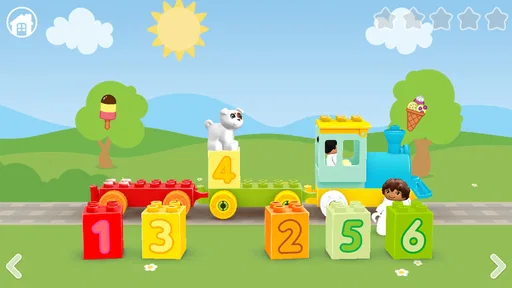
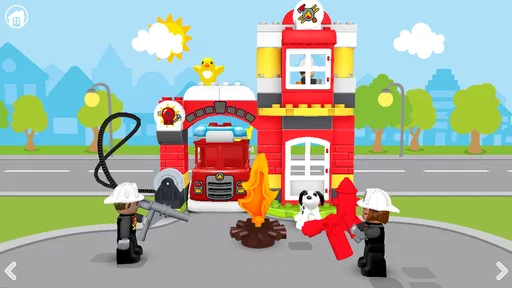
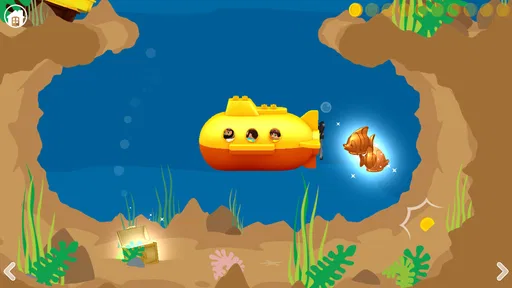
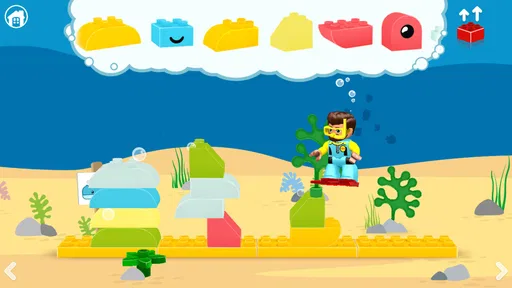
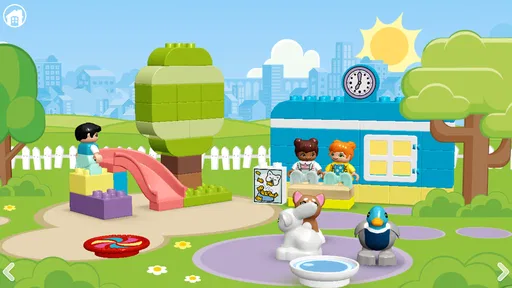
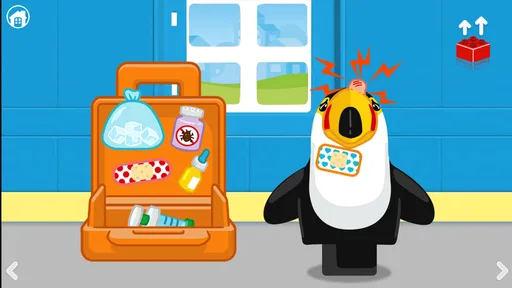
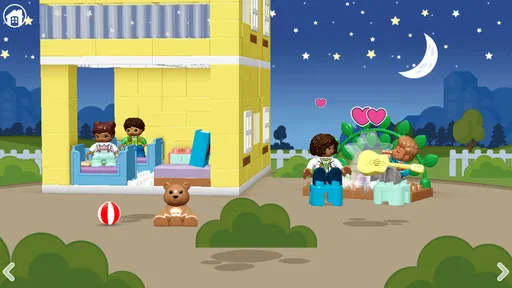
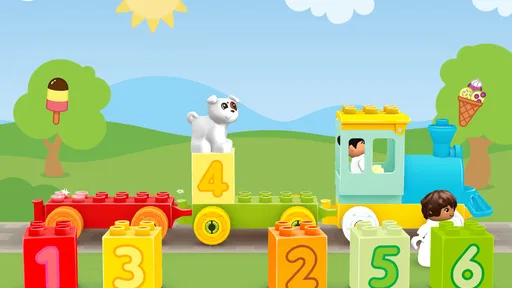
Our Review of LEGO® DUPLO® World NETFLIX
 Analysis by Appyee
I approached LEGO® DUPLO® World NETFLIX as a shared play app rather than a quick distraction, and that distinction matters. It is an educational game from Netflix, Inc. built around familiar LEGO DUPLO-style play, with activities that invite children to construct, arrange, notice, and experiment. The appeal is not a complicated challenge system; it is the feeling of making something happen with simple actions that young children can understand.
For a parent, the most useful question is not whether it looks cheerful. It is whether the game fits a child’s attention span, whether an adult can guide play without taking over, and whether the child gets more from it than tapping randomly. In my experience, it works best when I treat each session as a small play activity with a beginning and an end, not as an app to leave running in the background.
How the everyday play loop works
The basic workflow is easy to grasp. A child enters a colorful scene, interacts with large visual elements, and learns through the result of each action. Building is the central idea, so the experience feels closer to digital construction play than to a conventional quiz. The child can try an action, see what changes, and repeat it with a slightly different choice.
That simplicity is a strength for younger players. A child who is not yet comfortable reading can still understand much of the experience through pictures, movement, and sound. I also found that the app gives adults natural opportunities to ask questions: “What do you think will happen?” or “Which piece should go there?” Those questions turn passive tapping into a small reasoning exercise.
A realistic use case is a short session after preschool while a parent prepares dinner. Instead of handing over a general video app, I would open one activity, let the child explore, and return after a few minutes to talk about what was built. The game is better in that role than as an all-evening babysitter. Its educational value comes from interaction and conversation, not simply from keeping a screen busy.
The interface is designed for children, but I would still begin by playing alongside them. Young users often tap every visible object, and that is not necessarily a problem, but an adult can show the difference between exploring and completing a task. Once the child recognizes the pattern, I can step back and let them make the decisions. This gradual handoff is one of the most practical ways to use the game.
What children can practice while playing
The construction theme supports several kinds of learning without turning the experience into a lesson worksheet. Children practice matching, sequencing, visual attention, and cause-and-effect reasoning. They also get repeated chances to make a choice, observe the result, and try again. For a child who becomes frustrated by wrong answers in traditional educational games, that gentler loop can be more inviting.
There is also a useful difference between knowing what to do and being able to do it. A child may understand that two objects belong together but still need time to coordinate the tap or drag. I would not rush in immediately. Giving the child a few seconds to complete the action independently makes the activity more valuable and helps reveal whether the challenge is genuinely understood.
Parents should keep expectations realistic. This is not a replacement for physical LEGO DUPLO play, drawing, books, or hands-on sorting. A screen can show relationships and reactions, but it cannot provide the same tactile feedback as real blocks. I see the app as a companion to those activities: useful for extending a building theme when the physical toys are unavailable, or for starting a conversation before moving to real-world play.
Settings and preparation that make sessions smoother
Before giving the device to a child, I recommend checking the general device setup rather than assuming the game itself will solve every family need. Make sure the volume is comfortable, the screen is clean, and notifications will not interrupt the session. On a shared tablet, I also prefer to close unrelated apps first so the child is less likely to wander away from the activity.
The game is free, which removes an obvious barrier for families deciding whether to try it. It is marked suitable for Everyone, but that label should not be confused with “ideal for every child.” A toddler who enjoys open-ended visual play may respond well, while an older child looking for complex rules, competition, or a demanding progression system may find it too gentle.
Its minimum operating-system requirement is Android or iOS equivalent to version 10, so compatibility is worth checking before planning a family session. On an older device that meets the requirement, I would test the game privately first. That lets me confirm that touch input feels responsive and that the device is comfortable for a child to hold, without turning the first play session into technical troubleshooting.
Another small but important habit is deciding the stopping point in advance. Because the activities are approachable, a child may want to continue simply because the screen is available. I find it easier to say, “We will finish this building activity, then put the device away,” than to negotiate after the child is already tired. The app works best as one part of a routine, not as the routine itself.
Repeatable patterns for parents and children
Experienced use is less about discovering secret controls and more about repeating a good method. I start by letting the child inspect the scene without instructions. Then I ask one focused question, such as what object might fit or what changed after a tap. Finally, I give the child time to act. This three-step pattern keeps me from explaining everything before the child has had a chance to notice it.
I also like alternating between demonstration and independence. On the first activity, I may model one action slowly. On the next, I let the child lead and only offer a hint when they are stuck. This avoids two common problems: the adult completing the game for the child, and the child becoming frustrated because no one explains the basic interaction.
A second useful pattern is to replay with a different question. The first time, the goal can be simply understanding the controls. On a later visit, I can ask the child to describe colors, positions, order, or the result of a choice. The same digital scene then supports a different conversation without pretending that the app has become a new curriculum.
For siblings, I would avoid turning the device into a competition. A better arrangement is taking turns as the builder and the observer. One child performs the action while the other predicts what will happen, then they switch. This makes waiting meaningful and reduces grabbing, although it works only when the children are close enough in age and temperament to share the activity comfortably.
One non-obvious advantage is that the app can help adults notice a child’s preferred learning style. Some children immediately explore every object; others watch first and act cautiously. Some enjoy arranging elements, while others care more about the animated response. I use those reactions to decide whether to encourage prediction, storytelling, or hands-on follow-up with physical toys.
Where the experience starts to feel limited
The same simplicity that welcomes young children can limit replay value for older ones. If a child wants increasingly difficult puzzles, elaborate building systems, or a strong sense of progression, this is probably not the right main game. It is educational in a playful way, but it should not be mistaken for a deep construction simulator or a structured academic course.
Another limitation is that the quality of a session depends heavily on adult framing. A child can tap through visual activities without thinking about why an action worked. The app cannot guarantee focused learning on its own. I get more from it when I stay nearby, even if I am not controlling the device, and connect the digital activity to ordinary language and physical play.
There is also a trade-off between convenience and sensory richness. Digital building is tidy, portable, and easy to reset. Physical DUPLO play is messier, slower to arrange, and more demanding of space, but it develops a different relationship with size, weight, balance, and touch. If my goal is fine-motor practice through real objects, I would choose the physical blocks. If I need a compact activity during travel or a quiet indoor break, the app has the advantage.
I would also skip it for a child who strongly dislikes guided interaction or becomes upset when an adult suggests how to play. The game is gentle, but it still asks the child to interact with designed scenes rather than invent absolutely everything. In that case, open-ended toys, drawing materials, or a simple storybook may offer a better fit.
What the rating and audience suggest
The game has an average rating of 3.2 from around 329 ratings, alongside over 100 thousand installs. I read those figures as a sign to keep expectations balanced rather than as a reason to dismiss it. The audience is specific: families seeking a young-child-friendly LEGO-themed educational game, not players searching for advanced mechanics.
The rating also reinforces why I would test the experience with the particular child who will use it. A preschooler who enjoys visual cause and effect may be delighted, while another child may lose interest quickly. Store popularity cannot predict that personal response. A short, supervised trial is more informative than assuming the LEGO name alone guarantees engagement.
The current version is 41, and the developer is Netflix, Inc. That connection may make the game especially appealing to families already using Netflix’s children-focused ecosystem, although I would still judge it on the play experience rather than on the developer name. The important practical point is that it is presented as a free game, so trying it does not require committing money before seeing whether the child actually returns to it.
How it compares with familiar alternatives
Compared with children’s video apps, this game asks for more active participation. A video can be useful when a child needs a calm story or song, but it generally moves at the creator’s pace. Here, the child controls the moment-to-moment action and can repeat an interaction. That makes it a better choice when I want a screen activity that includes decisions rather than only viewing.
Compared with flashcard-style educational games, the LEGO approach feels less like drilling. It does not suit a parent who wants direct practice in letters, numbers, or formal assessment. Instead, it is stronger for early reasoning, visual exploration, and playful building themes. I would choose flashcards for a narrow practice goal and this game for a more relaxed activity around making and discovering.
Compared with physical LEGO DUPLO sets, the app wins on portability and immediate cleanup. It also lets a child experiment without losing pieces under furniture. The physical sets remain better for tactile construction, independent imaginative play, and building something that can be held afterward. I would not choose one as a total substitute for the other; the most useful routine is to let one inspire the other.
Compared with open-ended digital sandbox games, this experience is easier to introduce to a young child because there is less to manage. The trade-off is freedom. A child who wants to design a large personal world may outgrow it, while a child who needs clear visual invitations may feel more confident here than in a blank building environment.
My practical verdict after using it
I recommend LEGO® DUPLO® World NETFLIX to parents who want a short, approachable educational game for a young child and are willing to remain part of the experience, especially at the beginning. Its strongest quality is not complexity; it is the way familiar building ideas turn simple touch interactions into opportunities for prediction, matching, and conversation.
I would install it when portability matters, when a child enjoys LEGO-themed play, or when I want an alternative to passive video. I would not make it the only educational app in the home, and I would not present it to an older child as a challenging game. Its best place is between physical construction play and screen-based storytelling.
My recommended routine is simple: check the device first, choose a short activity, let the child explore, ask one thoughtful question, and finish with a real-world follow-up such as sorting toys or building with blocks. That habit brings out more value than rushing through every visible interaction. The key is guided discovery, not maximum screen time.
With an Everyone age rating, a free price, and support beginning with operating-system version 10, it is easy to consider for a family trial. Just keep the audience in mind. This is a focused educational game for early playful learning, not a universal replacement for toys, books, or more advanced games. Used on those terms, I find it warm, accessible, and genuinely useful in the right household.
Verdict
Strengths of LEGO® DUPLO® World NETFLIX
- Simple controls make it accessible for toddlers.
- Bright animations and familiar LEGO characters keep play engaging.
- Activities encourage matching, building, and basic problem-solving.
- Offline play is useful for travel or areas with limited internet.
- A child-friendly design avoids distracting ads and external links.
Limitations of LEGO® DUPLO® World NETFLIX
- Requires a Netflix membership to access the full game.
- Some activities may feel repetitive after extended play.
- Storage use can increase after downloading extra content.
- Older devices may experience slower loading or performance issues.
- Parental guidance is still recommended during play sessions.
Other Releases by Netflix, Inc.
View All
Netflix
Entertainment4.8

Sonic Mania Plus - NETFLIX
Action4.5

Bloons TD 6 NETFLIX
Strategy4.6

Football Manager 26 Mobile
Sports4.3
Similar Picks in This Category
View All
Little Panda Policeman
BabyBus4.0

Monster Trucks Game for Kids 2
Raz Games4.1

Little Panda's Chinese Recipes
BabyBus4.4

Little Panda's Restaurant
BabyBus4.4

Little Panda's Ice Cream Games
BabyBus4.3

Baby Panda Care
BabyBus3.8
Frequently Asked Questions
What is LEGO® DUPLO® World NETFLIX?
LEGO® DUPLO® World NETFLIX is an interactive educational game designed for young children, combining familiar DUPLO building experiences with simple digital activities. Children can explore colorful environments, build scenes, complete age-appropriate challenges, and interact with characters and objects. The game focuses on creativity, discovery, and early learning rather than competition or complex controls.
Is a Netflix subscription required to play LEGO® DUPLO® World NETFLIX?
Yes. This edition is intended for Netflix members, so an active Netflix subscription is generally required to access and play the game. Availability may depend on the child profile, account settings, device compatibility, and regional rollout. Families should also check that the correct Netflix account is signed in before downloading or launching the application.
Is LEGO® DUPLO® World NETFLIX suitable for toddlers?
The game is designed primarily for preschool-aged children and uses simple touch controls, bright visuals, and guided activities that are easy to understand. It can be suitable for toddlers who are comfortable using a touchscreen, although younger children may still need help from an adult. Parents should consider the child’s age, attention span, and familiarity with mobile devices.
Can children play LEGO® DUPLO® World NETFLIX without an internet connection?
Some Netflix games may allow offline play after they have been downloaded and opened successfully, but this can depend on the device, account verification, and the current version of the application. It is best to launch the game while connected to the internet before traveling or giving it to a child offline. Updates or account checks may still require connectivity.
Does the game include advertisements, in-app purchases, or unsafe online features?
LEGO® DUPLO® World NETFLIX is presented as a child-friendly experience and is generally designed without the advertising and purchase interruptions commonly found in free mobile games. It also focuses on offline-style exploration rather than open online communication. Parents should nevertheless review device permissions, Netflix parental controls, and screen-time settings, because the game is still being used on a connected mobile device.
Play our best games!


